

How To Grow Your Email List With A Quiz
If you are taking lots of blogging course, you will be familiar with building your email list from Day 1 after launching your blog. Build an email list is important because it can generate more traffic to your blog beside SEO and Pinterest.
This is a step by step guide on how to create your own quiz to grow your email list.
This page may contain affiliate links. You can read my full disclosure HERE.
There are so many strategies to grow your email list such as using an email marketing app on your blog for opt-in, Facebook ads, host webinars, host a giveaway or you can create your own quiz.
Quizzes are the very popular method you can use to attract new readers to your blog. You can see a website like Buzzfeed use quizzes to engage with their readers and generate leads for their mailing list.
When I saw that, I decided to give it a try. Then I found out about Interact, an online quiz maker that can integrate with ConvertKit, who doesn’t want that? And the great thing is their quiz is easy to make and customize, it looks professional also!
WHAT MAKES INTERACT SPECIAL?
Help to Grow Your Blog or Business
Either you are a blogger or entrepreneur, Interact can help to generate leads, drive sales, and grow your social reach.
Let’s talk about generating leads.
If you searching quiz maker on Google, you will find a lot of FREE quiz maker but most of them don’t have any integration to generate leads for you.
Interact on the other hand can integrate with lots of popular email marketing services such as:
- MailChimp
- AWeber
- ConstantContact
- ConvertKit
- GetResponse
- MailerLite
- Drip
- InfusionSoft
- ActiveCampaign
- HubSpot
- CampaignMonitor
- etc.
For me as a ConvertKit user, I found Interact is very convenient because I can direct the leads to anywhere I want. For example, you can set rules for each answer to be in a certain form or sequence and then you can set marketing automation for the leads.
This helps me a lot and not to worry what will happen to the leads because you can set everything automated and you just need to build relationship afterward.
Drive Sales for Entrepreneurs
Maybe you are wondering how in the world quiz can help you to drive sales. I will give you one simple example for us as bloggers to use.
Let’s say you have a course, within a quiz you can recommend your course to people based on which quiz outcome they get. I do this with my FREE Blogging Resource Library. At the end of my quiz, I will put a button that says “I am ready to build my blog! Sign me up to get FREE access to Blogging Resource Library”.
This will likely help people to notice what products or services you have to offer.
A personalized product or service recommendations generate 230% more sales than non-personal ones so you’ll see an instant bump in your sales!
Grow Your Social Reach
On average, 10% of people who take quizzes share their results on social media, so you’ll see an increased presence on social media.
Quizzes are so share-able that 3 of the top 5 most shared articles for the New York Times last year were actually quizzes.
The most popular platform where people usually share quizzes is Facebook. You can see a lot of people sharing their results on Facebook and it becomes a chain which other people wants to try the quiz also.
This is good to help generate new leads for your business or blog.
One of the best features you can get with Interact is tracking lead conversions using Facebook universal pixels. Each unique quiz result within Interact can trigger a different event in your Facebook dashboard to distinguish between outcomes.
This will enable you to assess how your quiz worked and how to improve it.
You can also track leads through Google Analytics. Each quiz result can accept a unique tracking code so you can distinguish between outcomes in Google Analytics.
WHAT FEATURES INTERACT OFFERS?
Now you maybe think that the price of Interacts is kinda high for a quiz maker. Interact does not offer only a quiz maker.
Personalized Quizzes
There are two options for this. You can build a quiz based on the template they have or you can build it from scratch. If you are a beginner you can start by using their template. They have a great selection of templates you can choose from:
Note: sorry for the “crushed” images because I do direct screenshots from my computer.

and after that, they will ask you to choose what type of quiz you want to build. I really love this option because you can make it based on what you like so it’s not monotone. Here’s the option:
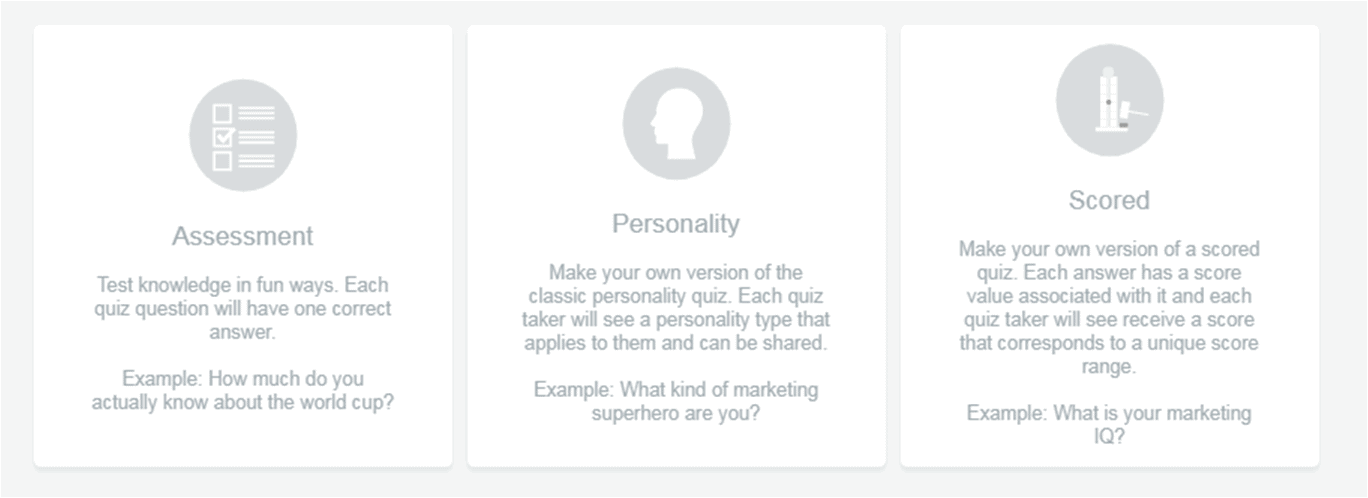
from that, you can customize images, questions, answers and lead people to join your mailing list.
Giveaways
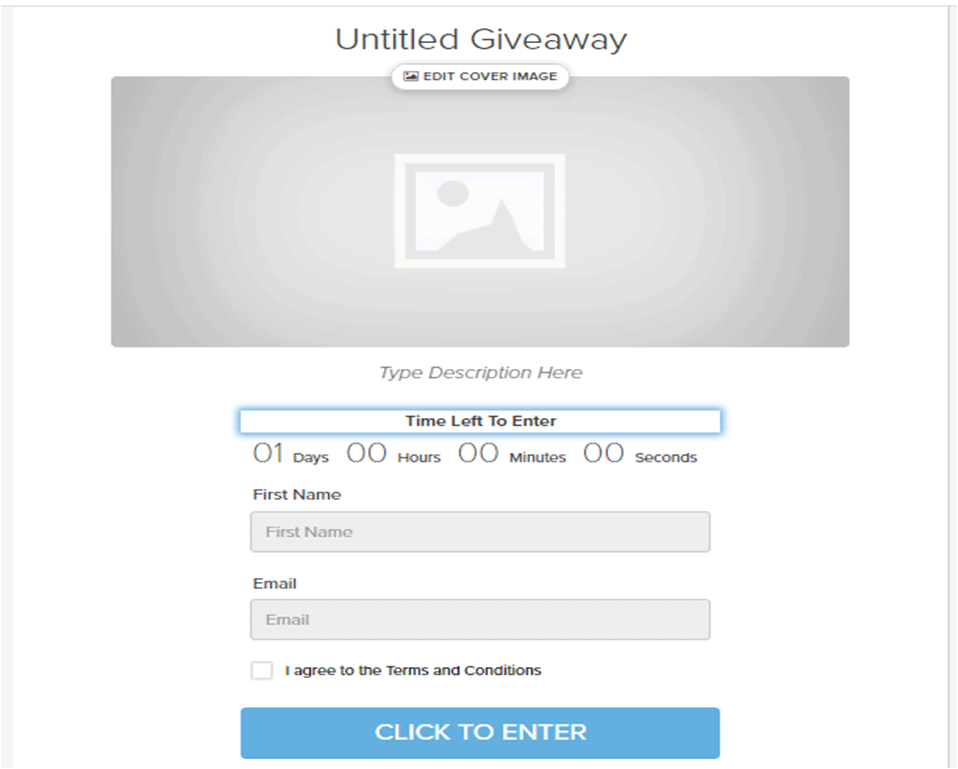
As a blogger, hosting a giveaway will attract people to join your mailing list. This I know because I’ve tried it. It does generate lots of people to join my mailing list.
Here how it shows when you want to host a giveaway:
Polls
Creating a poll will help you to engage with your reader. You can create a poll when you want to add a new section to your blog, asking for what type of post your readers like to read more and so on.
By creating a poll, you can choose to lead them to join your newsletter or not which is great for a lifestyle blog. Again, all of this depends on what type of mailing list you want to build.
HOW TO CREATE YOUR OWN QUIZ
Now, you already know what Interact can offer to build your mailing list. It is time to build your own quiz to attract people in taking your quiz.
This is super important also because who wants to do your quiz if it’s not interesting enough?
What I do as a beginner is to work based on what template they have and then improve it from there. Here is how my quiz looks like.
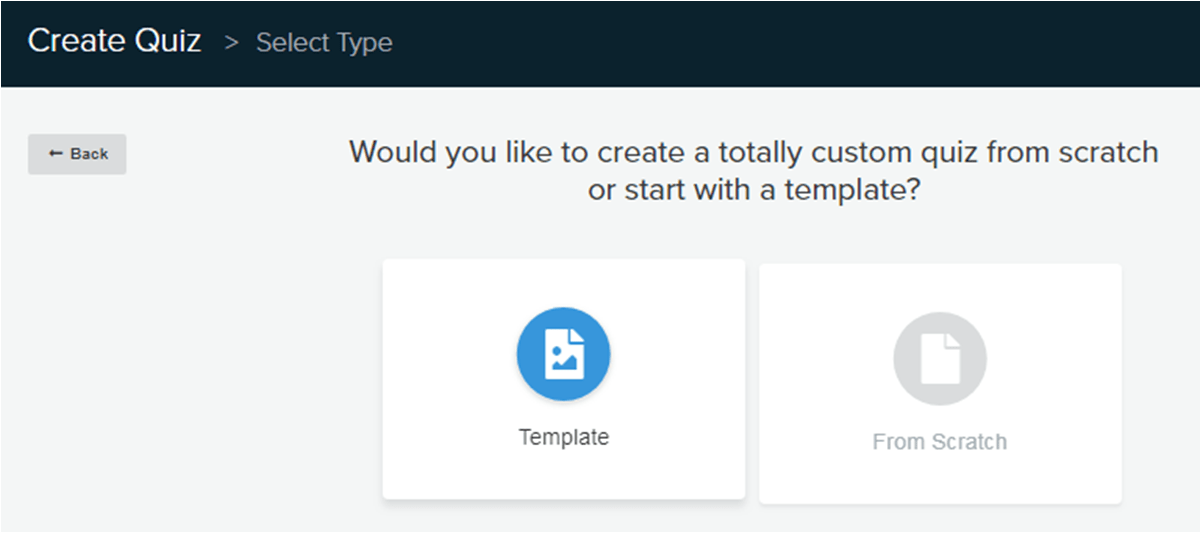
After signing in to the app, you can select to start with a template or from scratch. Obviously, choose a template.
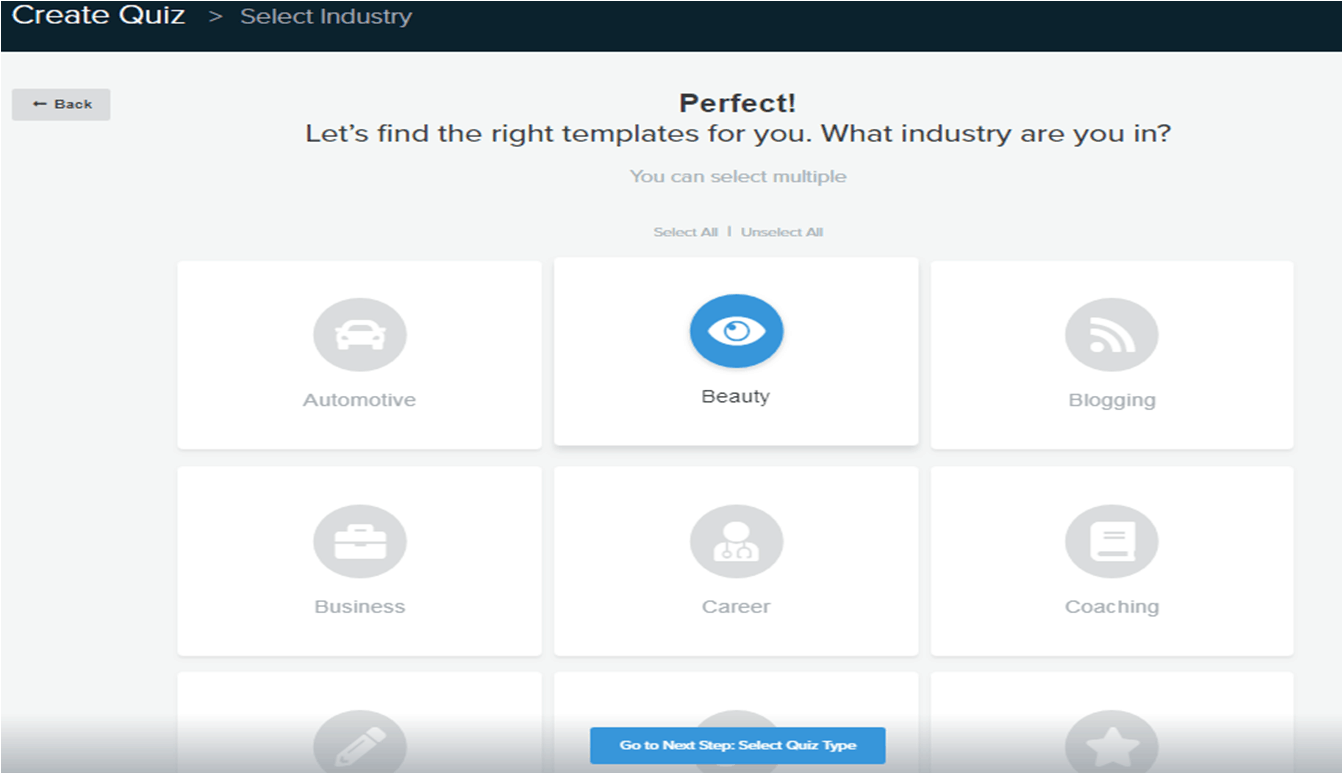
After that select your niche, I choose beauty.
Then, select your quiz type.
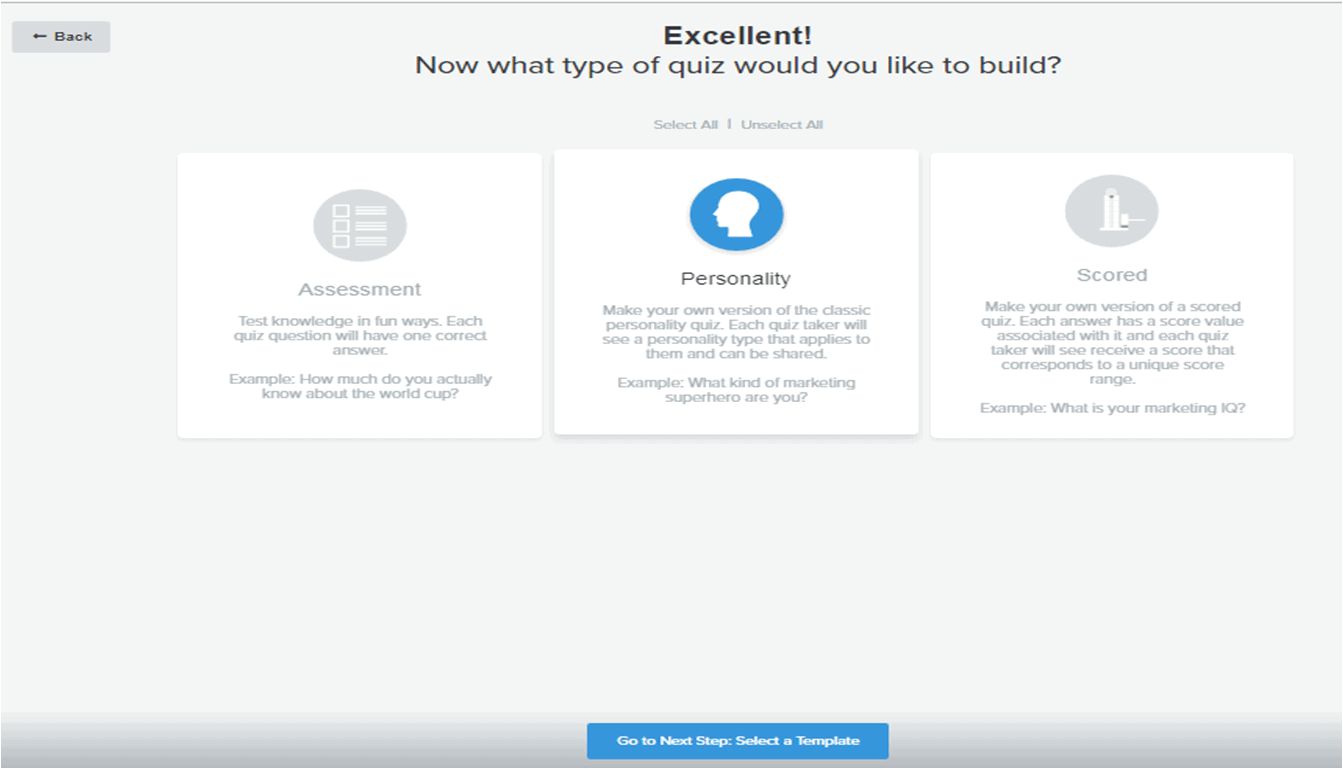
The most popular type of quiz people usually like to take is Personality. After that, you can choose which template you want.
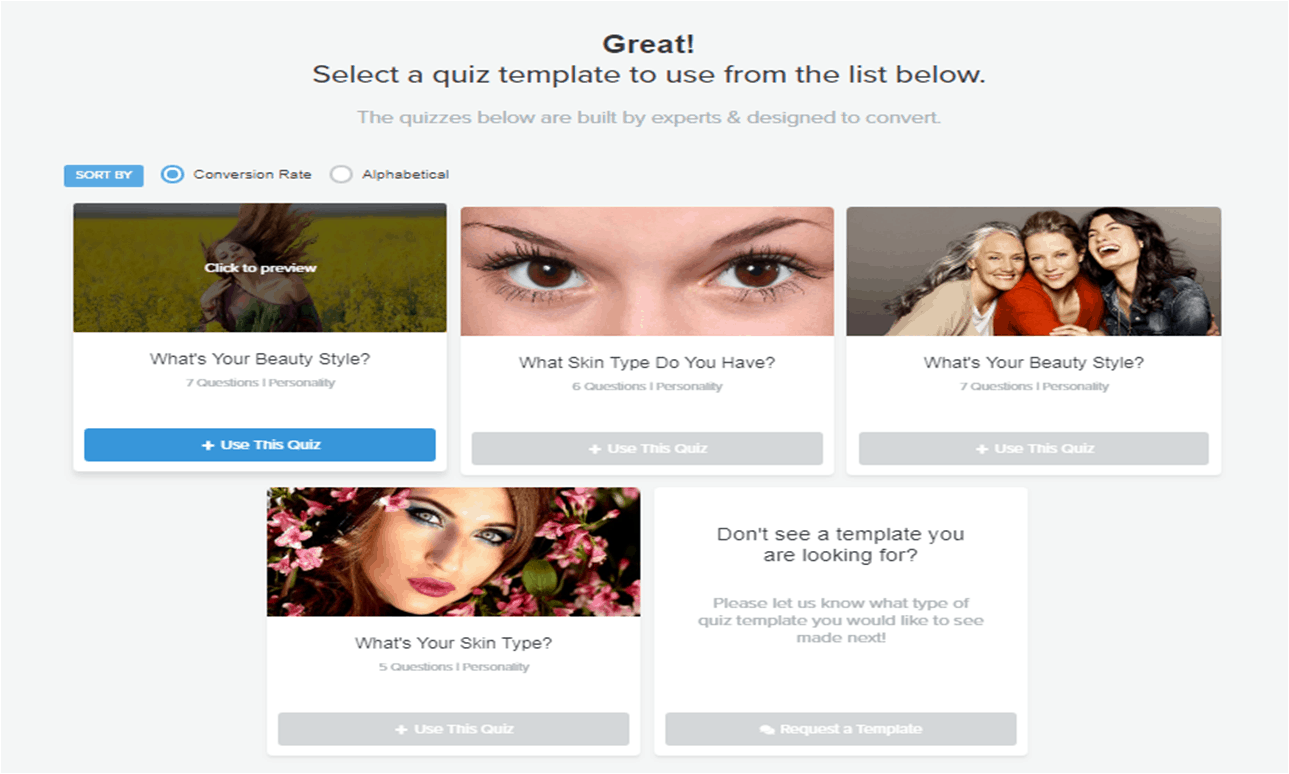
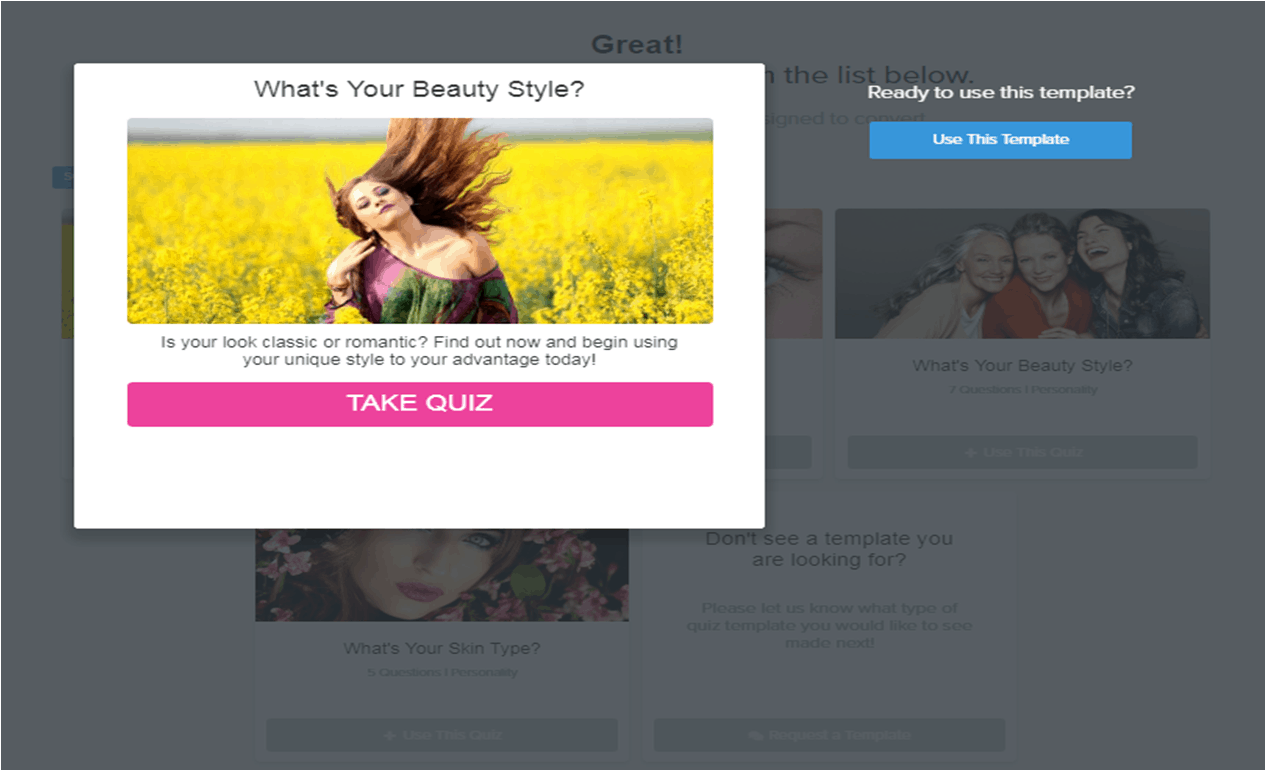
Sort it by conversion rate so you will know which type of quiz that can generate leads for you. Now, before choosing which one you want, you can click to preview it and then use the template.
Now you can see the full app here. I will do a quick introduction so that you can understand more.

- Customize your content: You can customize content on this bar. The images, questions, and answers.
- Enable lead capture: After customizing the content, you can set where it will lead people to join your mailing list, signing up for a course or buying a service.
- Conversion Tracking: Turn this on and set tracking for Facebook ads or Google analytics.
- Branding setting: You can upload your logo and it will visible on bottom part of the quiz.
- Social Share settings: Set what social button you will put on your quiz and the placement of it.
- Branching Logic (optional to use): You can use this if you already familiar with building a quiz. from my perspective, branching logic is more complex but if you prefer doing quiz by using a scheme then this is perfect for you.

After finish creating the content, you can hit Publish button and choose where to share it and embed it.

What I like is you can embed this quiz on your own page or in the middle of a post just like I did previously. It’s super convenient for me to set.
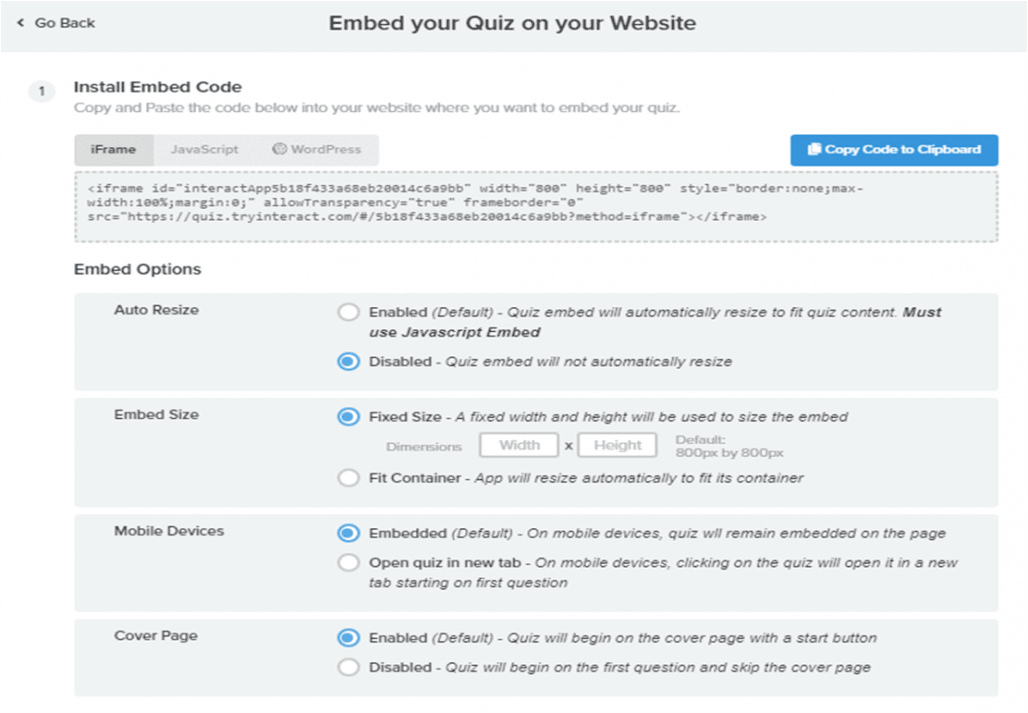
To embed it on a post or a page, just copy the iframe code and adjust the box size. That’s it! You are good to go. Or if you want the easiest set up just download the plugin and insert the code into the WordPress plugin.
You can also set it up as a pop-up bar or announcement bar on top of your blog which will make people notice about your quiz.
FINAL TAKE
Quizzes are perfect for bloggers or entrepreneurs who want to build their mailing list. Either for newsletter or offering products or services.
Plus you will get to know more about your readers and how to approach them better so you can improve your marketing.
If you still not sure whether or not Interact is for you. You can try their FREE membership to build unlimited quizzes and see how it affects your blog.
But if you want to enable the lead generation, you have to pay for the membership. You can check out the full pricing here.
Do you know it is easy to start a blog, you can check out my Blog Starter Series:
Part 1: How to Start a Blog for Beginners
Part 2: How to Make Money Blogging for Beginners
Part 3: Beginners Guide to Affiliate Marketing + Freebies
Part 4: How I Made My First Affiliate Earning With Small Traffic
or you can check out my other Blog series:
See ya on the other side!
Monica